

Since Apple announced iOS 26, Liquid Effect has grabbed attention—but iOS 26 changed much more than that. Matching native device feel matters, so following the iOS 26 experience is important.
I released a CSS library to build iOS 26 design on the web. It targets the latest Ionic Framework and supports dark mode!
| URL | |
|---|---|
| Demo | https://ionic-theme-ios26.netlify.app/ |
| Repository | https://github.com/rdlabo-dev/ionic-theme-ios26 |
% npm install @rdlabo/ionic-theme-ios26
Users can experience iOS 26 in the browser—and you can ship the web app as a mobile app with Capacitor!
iOS 18 vs iOS 26
Beyond Liquid Glass, iOS 26 changed design in many ways.
Safe Area
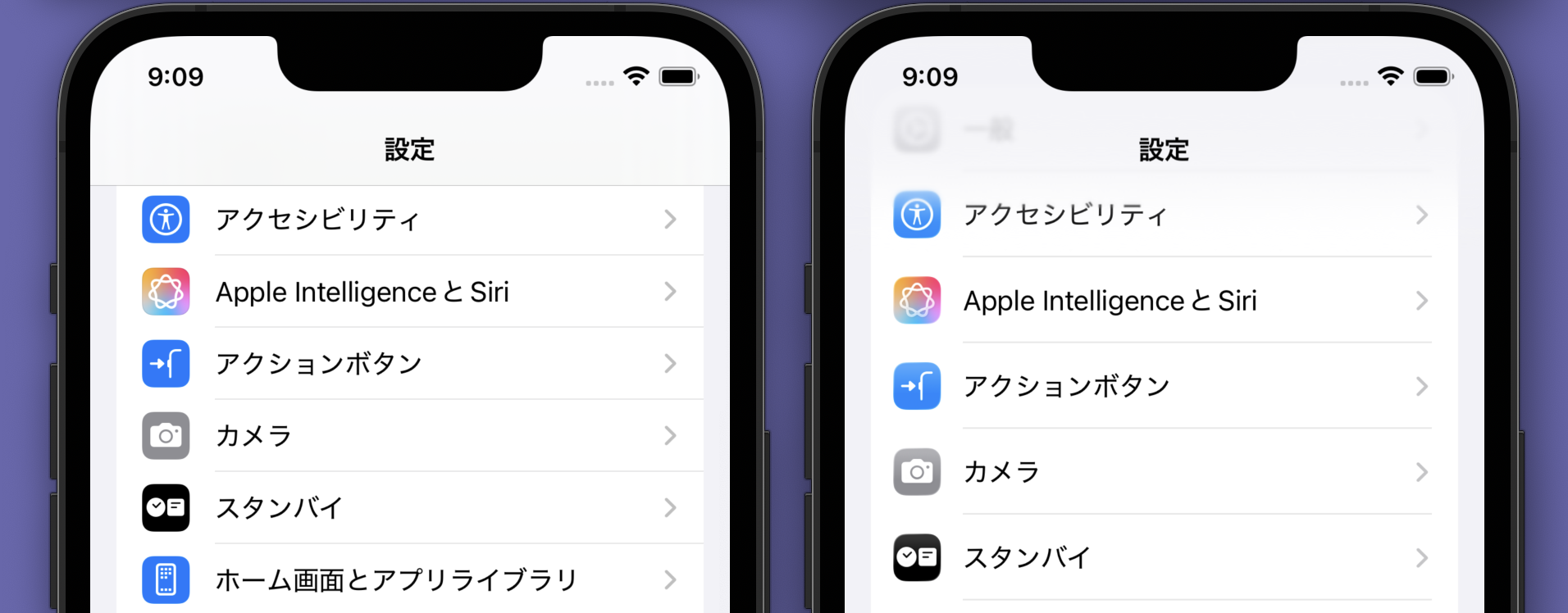
The most visible change is safe area handling. On iOS 18, safe areas were blank padding; on iOS 26, edge effects use the full screen.
Left: iOS 18. Right: iOS 26.
Floating Tabs
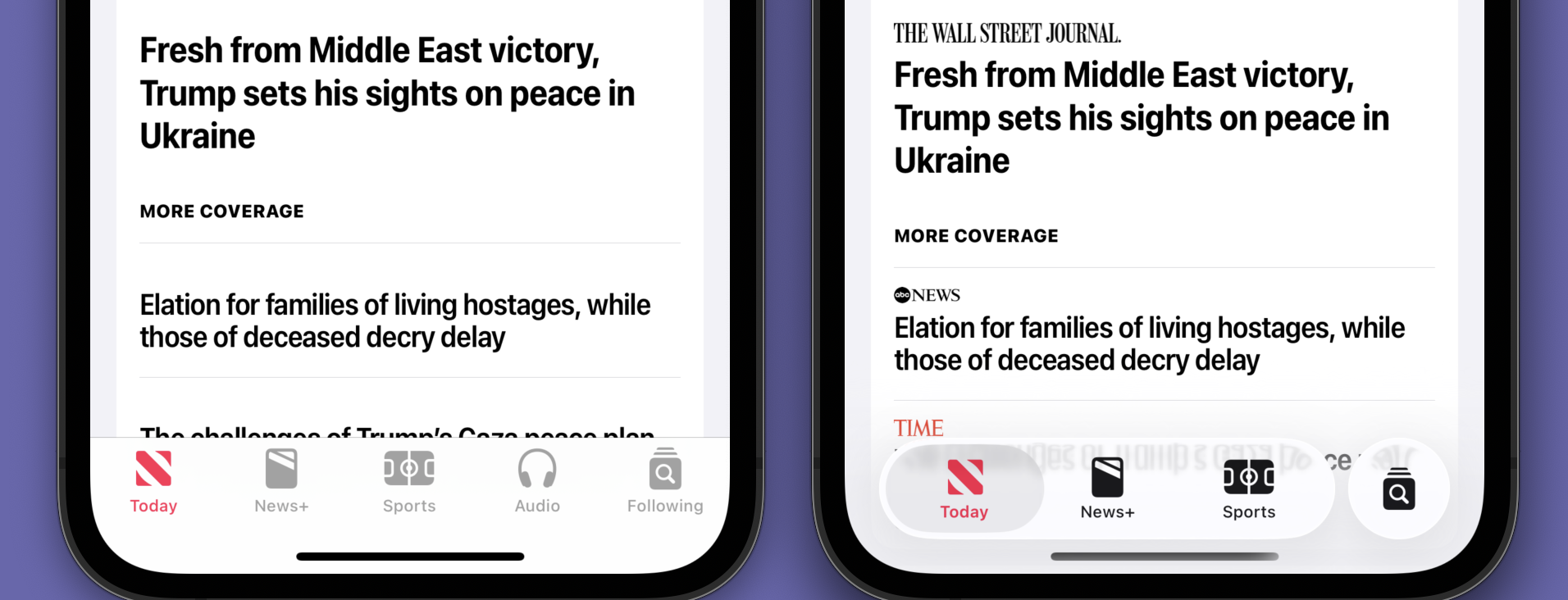
Tabs changed with that shift—from full-width bars to floating style. FAB buttons, long standard on Android, also landed on iOS.
Rounder Elements
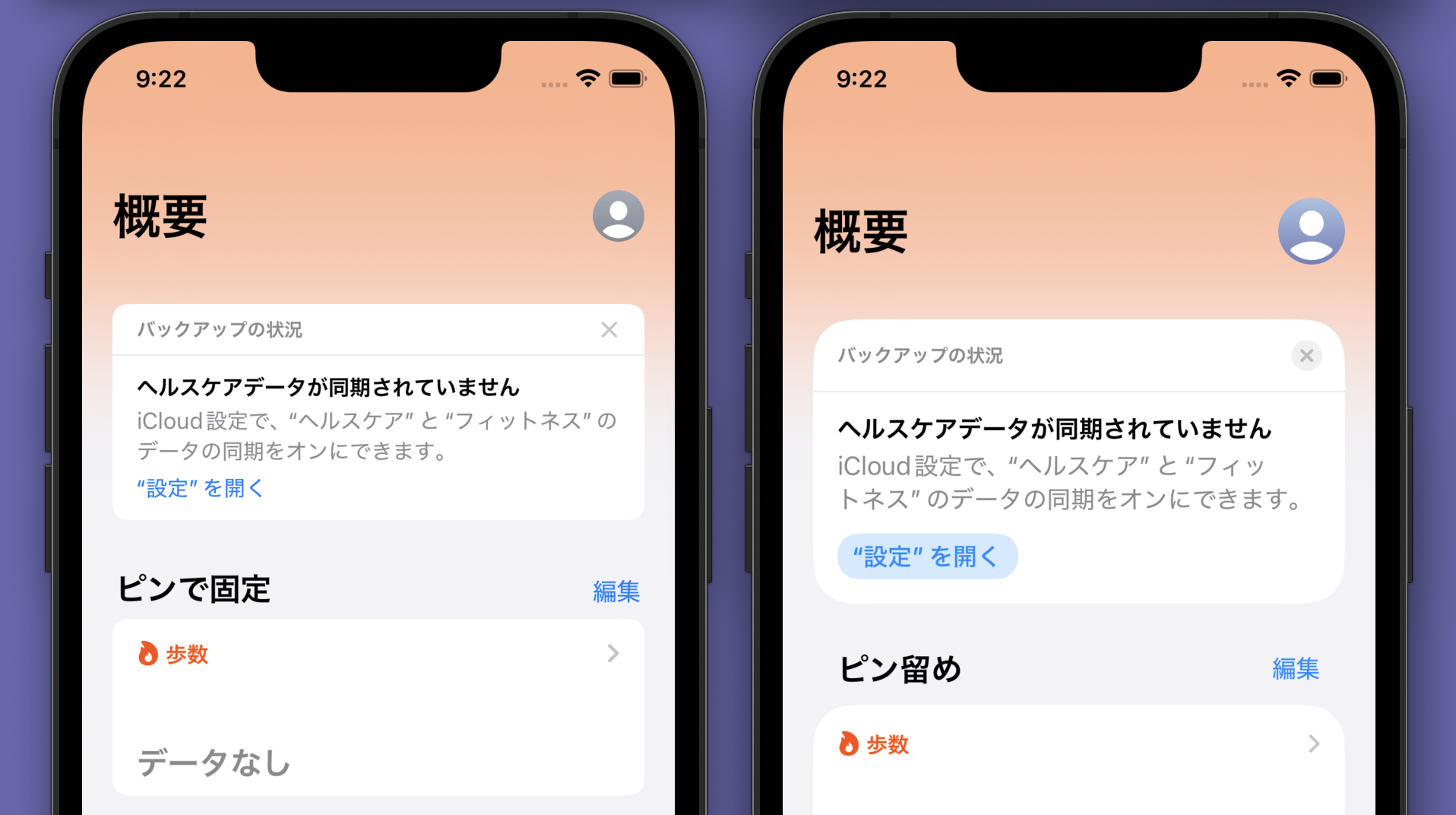
Sheets, list items, buttons, segmented controls, and most components grew rounder for a more modern look. Spacing between list items increased slightly too.
Navigation Bar Buttons
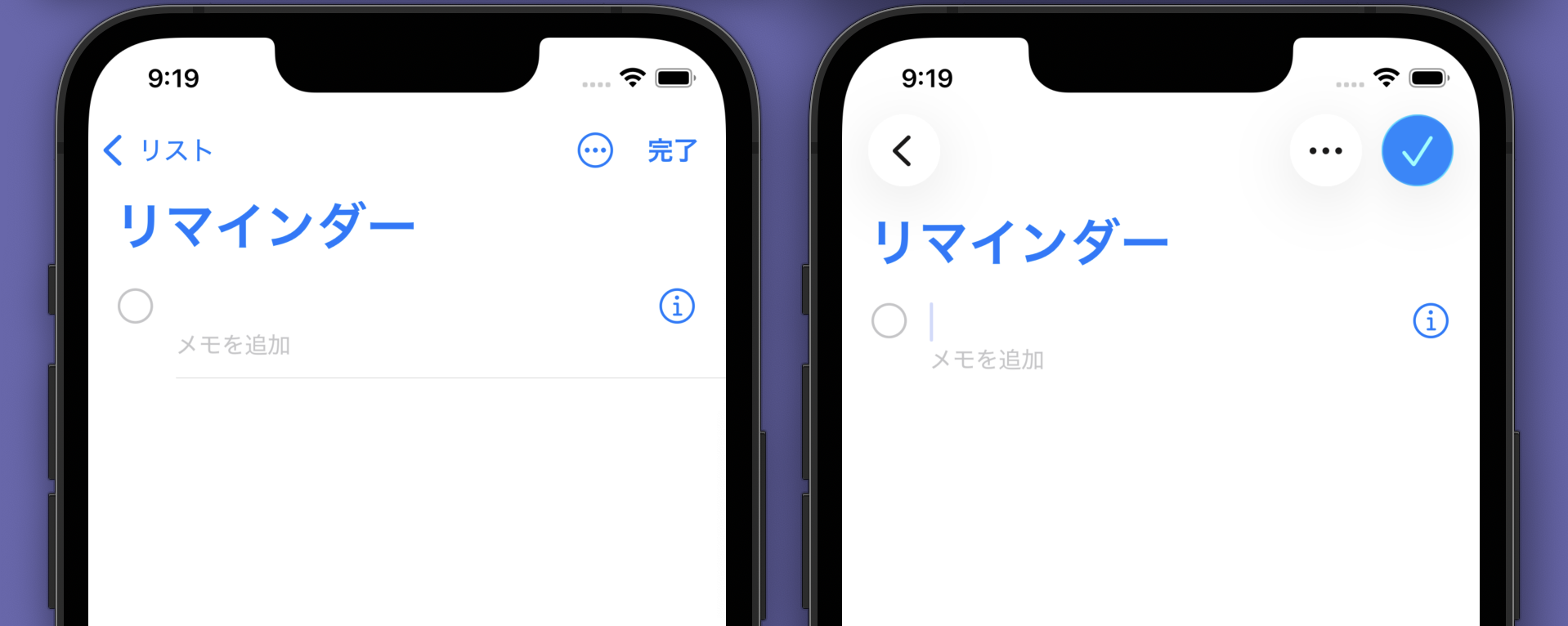
Navigation bar buttons moved toward icon-only. Labeled icons still work, but icon-only is preferred. Icon buttons work alone or grouped.
Alerts
Alerts grew rounder with left-aligned text—better readability for long copy. Overall, rounder UI uses the device more openly.
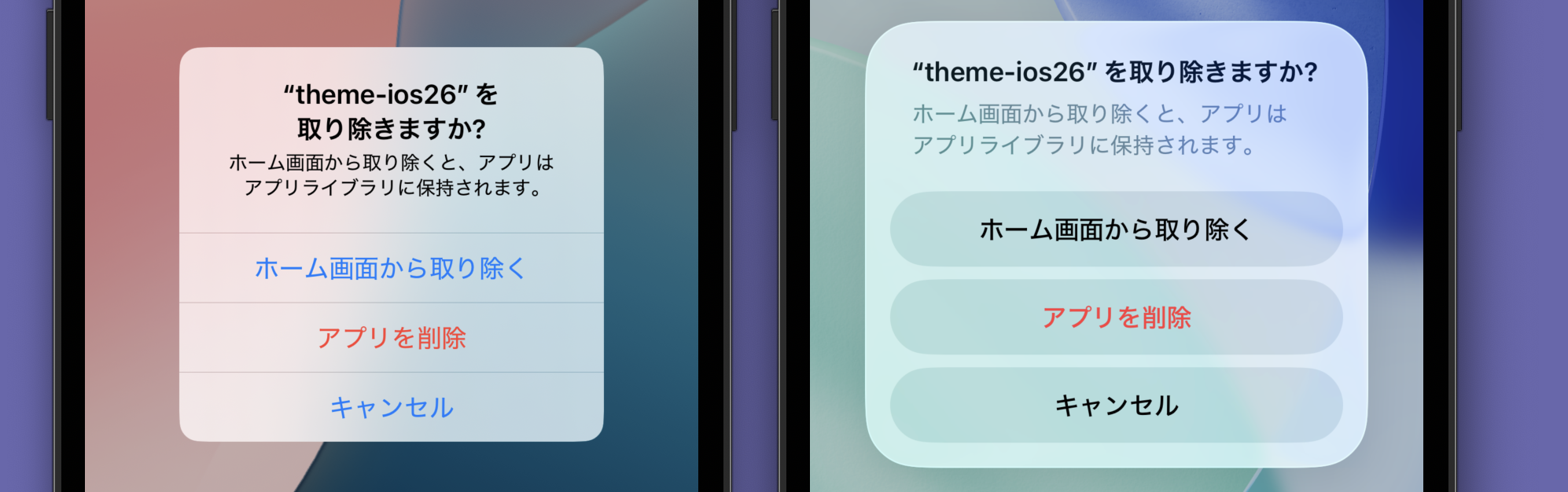
Liquid Effect got the headlines, but design changed broadly beyond it.
Ionic Framework for Mobile UI on the Web
Ionic Framework reproduces mobile UI with web technology alone. Mobile UI is familiar, yet painful to rebuild on the web—push transitions, sheet modals, large titles, and other native staples are hard.
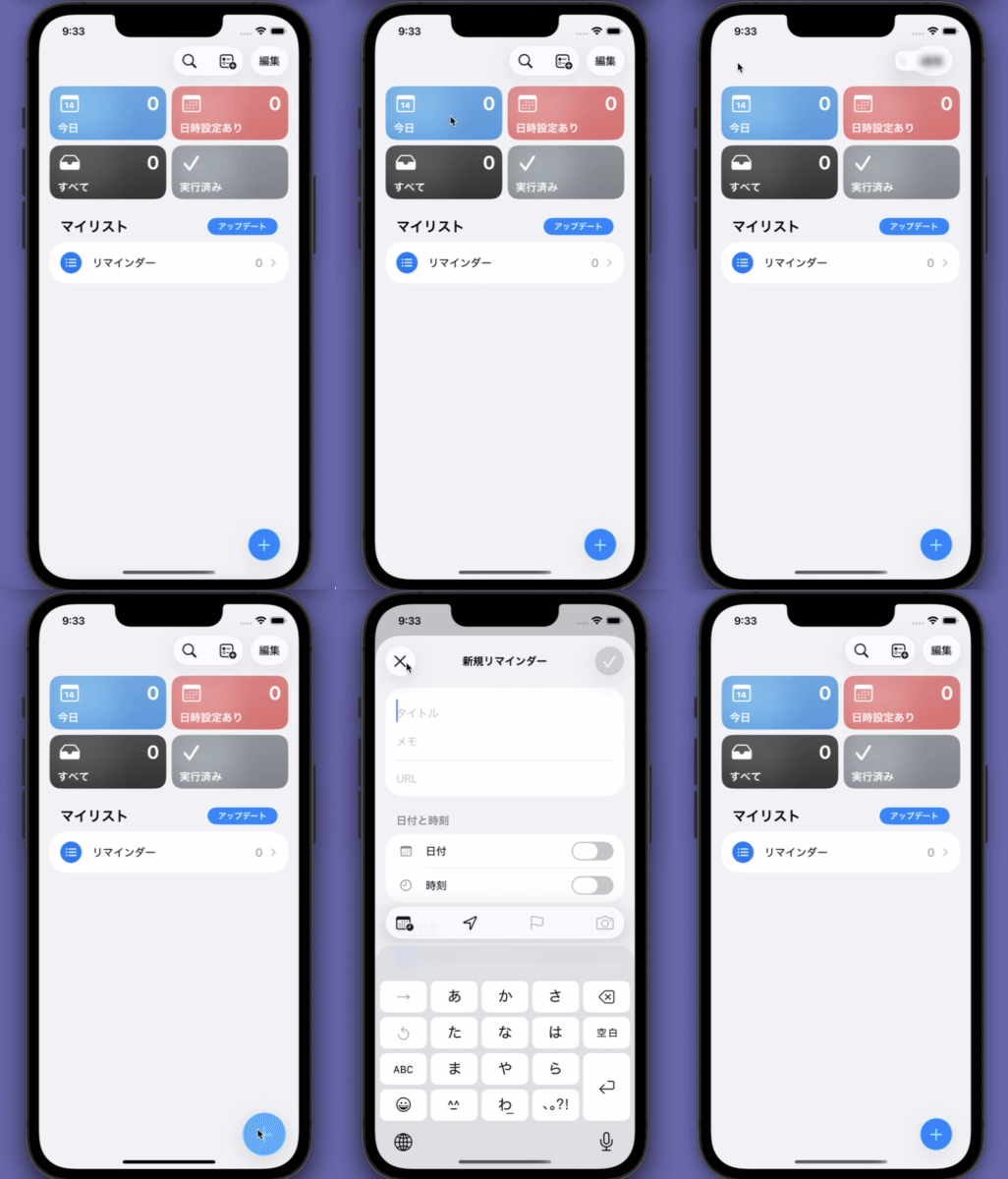
Ionic delivers all of that with prescribed patterns (Web Components). Apps like Sumitomo Mitsui Banking, iAEON, and Minna no Bank use it. It already matched iOS 18 and Material Design 2 at high fidelity.
But iOS and Android shipped breaking design changes afterward. Native apps pin design in config or swap design libraries to protect existing users.
Many Ionic users customize from Ionic's baseline. If Ionic jumped to iOS 26 or Material Design 3 wholesale, it would break those custom designs.
Recently Ionic evolved as a foundation for mobile design reproduction. What started as CSS variable theming now exposes Shadow Parts as APIs so CSS can restyle freely. Today, if you want iOS 26 design, you can build it yourself.
@rdlabo/ionic-theme-ios26
So I built it! I still remember Ionic team feedback on an old PR: "The corner radius is off by a few pixels!" I used overlay screenshot comparison this time and matched colors at RGB percentage level—high precision.
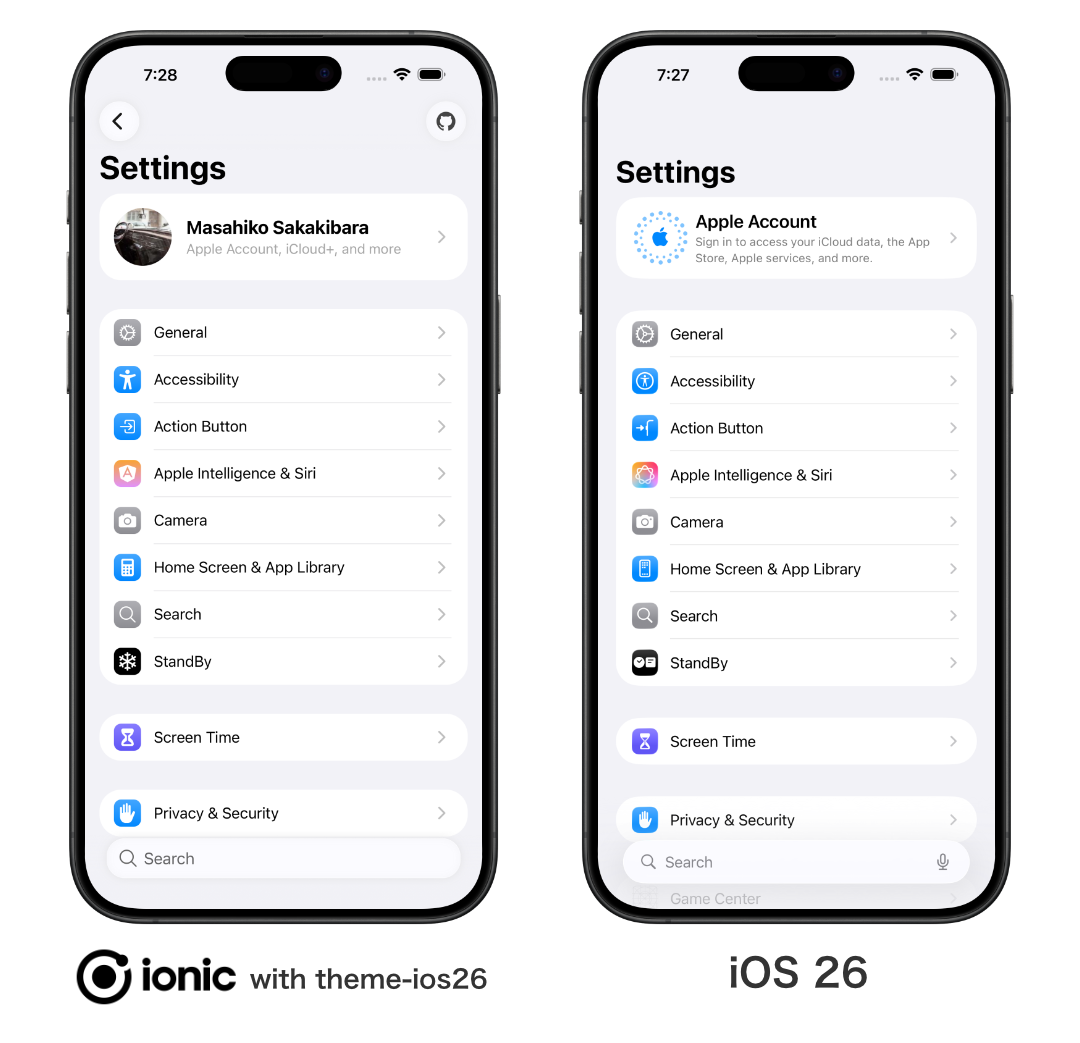
https://github.com/rdlabo-dev/ionic-theme-ios26
% npm install @rdlabo/ionic-theme-ios26
Usage is simple: after installing Ionic, import the CSS files.
@import '@rdlabo/ionic-theme-ios26/dist/css/default-variables.css';
@import '@rdlabo/ionic-theme-ios26/dist/css/ionic-theme-ios26.css';

/**
 * Prevents iOS 26-specific element overrides from affecting the MD design.
 * For example, ion-buttons ion-button[fill=default] is not normally needed in MD mode,
 * but supporting iOS 26 may introduce it. This file neutralizes those effects.
 */
@import '@rdlabo/ionic-theme-ios26/dist/css/md-remove-ios-class-effect.css';

/*
 * Dark mode support.
 * Import the file that matches your Ionic dark mode setup. See: https://ionicframework.com/docs/theming/dark-mode
 * use Always:    @import '@rdlabo/ionic-theme-ios26/dist/css/ionic-theme-dark-always.css'
 * use System:    @import '@rdlabo/ionic-theme-ios26/dist/css/ionic-theme-dark-system.css'
 * use CSS Class: @import '@rdlabo/ionic-theme-ios26/dist/css/ionic-theme-dark-class.css'
 */
Liquid Effect was technically hard. SVG filter approaches run only on Chromium; WebGL is too heavy for production apps.
For Liquid Effect I combined blur and similar tricks for a close approximation.
Why Bother Reproducing This on the Web?
Fair question.
Capacitor wraps web assets as mobile apps. Browser, iOS, Android—and with effort, desktop—multi-platform from one codebase. Not only the browser; iOS and Android too.
https://zenn.dev/rdlabo/articles/4a241cacc7e364be8066
An article about this theme quotes a line I love from I built a PWA and published it in 3 app stores. Here's what I learned.:
"Why ship to app stores? Just put the PWA on the web."
Simple answer: because users are there.
Users asked me over and over: "Where's Chavah? I can't find it in the app store." They expect apps to live in app stores—that is reality.
I want apps available where users need them.
Summary
I released @rdlabo/ionic-theme-ios26 to reproduce iOS 26 design on the web. Screenshot overlay comparison yields very high fidelity.
Main features:
- Updated safe area handling
- Floating tab design
- Rounder components
- Icon-only navigation bar buttons
- Left-aligned alert text
- Dark mode support
Liquid Effect is not fully reproduced due to technical limits, but blur and similar effects get close. With Capacitor you can ship the web app to mobile stores. Do not limit your app to the browser—expand to iOS and Android.
See you again.