

Photo sliders are a common mobile UI pattern for viewing photos. With limited screen space, they are often used to show images near full screen, zoomed in. You see them on X and Facebook too. In app development, "expand photo + slider" is genuinely useful. Because it is useful, when you maintain several apps you end up writing the same slider code in each one. How many identical photo sliders did I have across my apps back then—four, I think.
That hurts maintainability. Pause updates on one app and you wonder how far you got with migrating features. I extracted a library so every project can open a photo slider modal with one call. If you have had a similar experience, give it a try.
Demo
https://rdlabo-ionic-angular-library.netlify.app/main/photo-editor
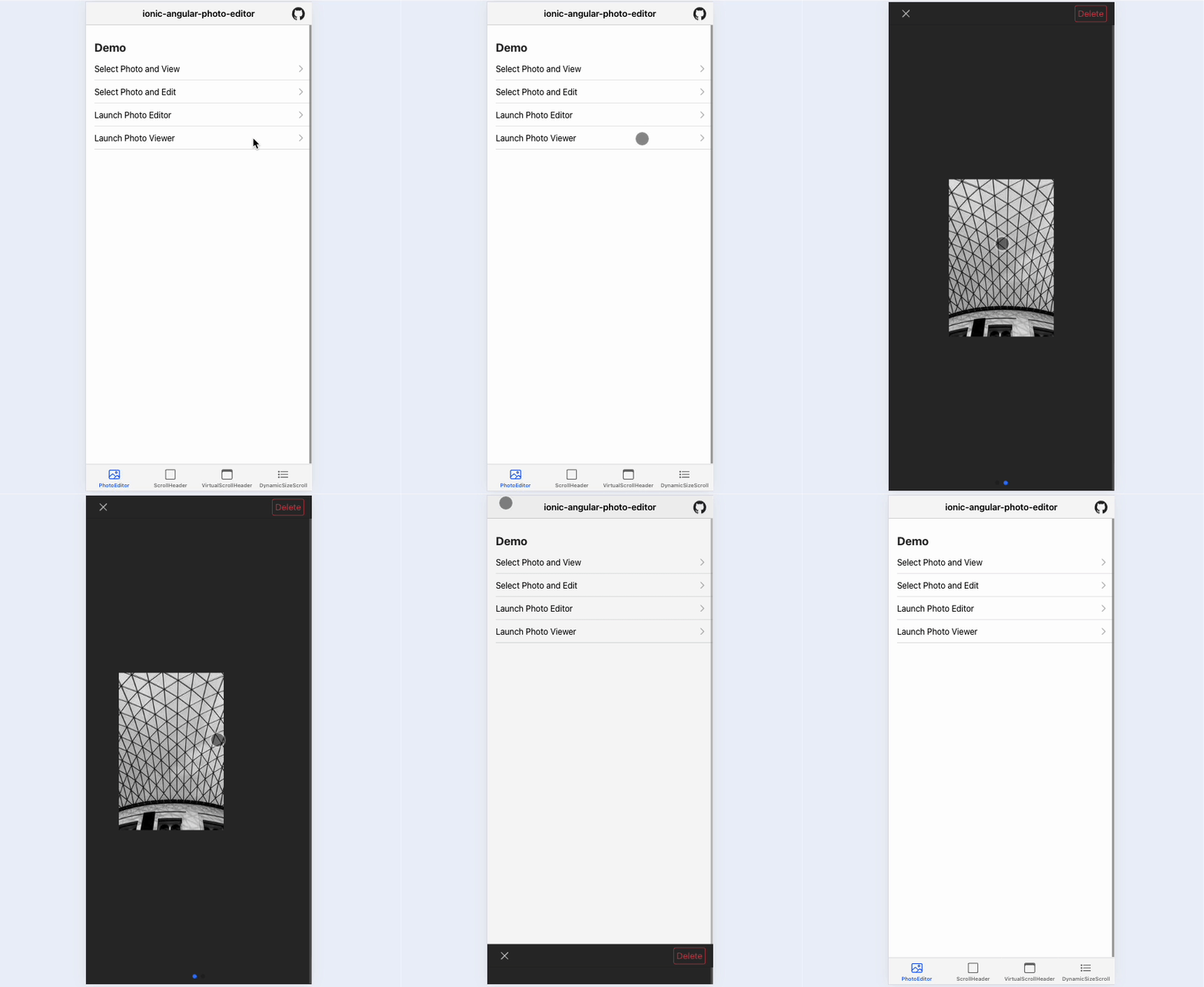
There is an editor too, but check "Launch Photo Viewer." You will recognize it—the thing everyone implements.
The demo shows "Delete" in the top right; you can hide it, and you can replace the label text.
Usage
Install in your Ionic Angular project first.
% npm install @rdlabo/ionic-angular-photo-editor
Then add this to your global styles.
:root {
  --ion-photo-editor-background: #2a2a2a;
  --ion-photo-editor-background-tint: #414141;

  --ion-photo-editor-color: #f0f0f0;
  --ion-photo-editor-color-tint: #dbdbdb;

  --ion-photo-editor-primary: #4d8dff;
  --ion-photo-editor-danger: #f24c58;
  --ion-photo-editor-success: #2dd55b;
}
Styles use CSS variables, so you can theme them. Usage is simple: when opening an Ionic modal, pass photo data and the starting index via ComponentProps. Set enableDelete to false to hide the delete button.
import { PhotoViewerPage, IPhotoViewerDismiss } from '@rdlabo/ionic-angular-photo-editor';

(async () => {
  const modal = await this.modalCtrl.create({
    component: PhotoViewerPage,
    componentProps: {
      imageUrls: [
        'https://picsum.photos/200/300',
        'https://picsum.photos/200/300',
      ],
      index: 0,
      isCircle: false,
      enableDelete: true
    },
  });
  await modal.present();
  const { data } = await modal.onWillDismiss<IPhotoViewerDismiss>();
  if (data?.delete) {
    // User delete image
  }
})();
See https://github.com/rdlabo-dev/ionic-angular-library/tree/main/projects/photo-editor for details.
Summary
I use this library in apps I ship, and it has been stable. Give it a try.
See you next time.