
![[Ionic Angular] Rethinking ion-datetime in v6 cover image](/article-images/62f404d448df01.svg)
Through Ionic v5, the default ion-datetime UI was wheel-only. Ionic v6 added a picker style aligned with iOS updates.
| wheel | picker |
|---|---|
Introductory article:
https://zenn.dev/rdlabo/articles/59278a50a7f0f7#datetime
v6 is still new, samples are scarce, and there is no canonical production pattern yet, so I often hear people ask how to implement it. Here are several patterns. Working demos are published here:
https://ionic6-datetime-picker.netlify.app/
Accordion
This combines ion-datetime with ion-accordion, which was added in Ionic v6.
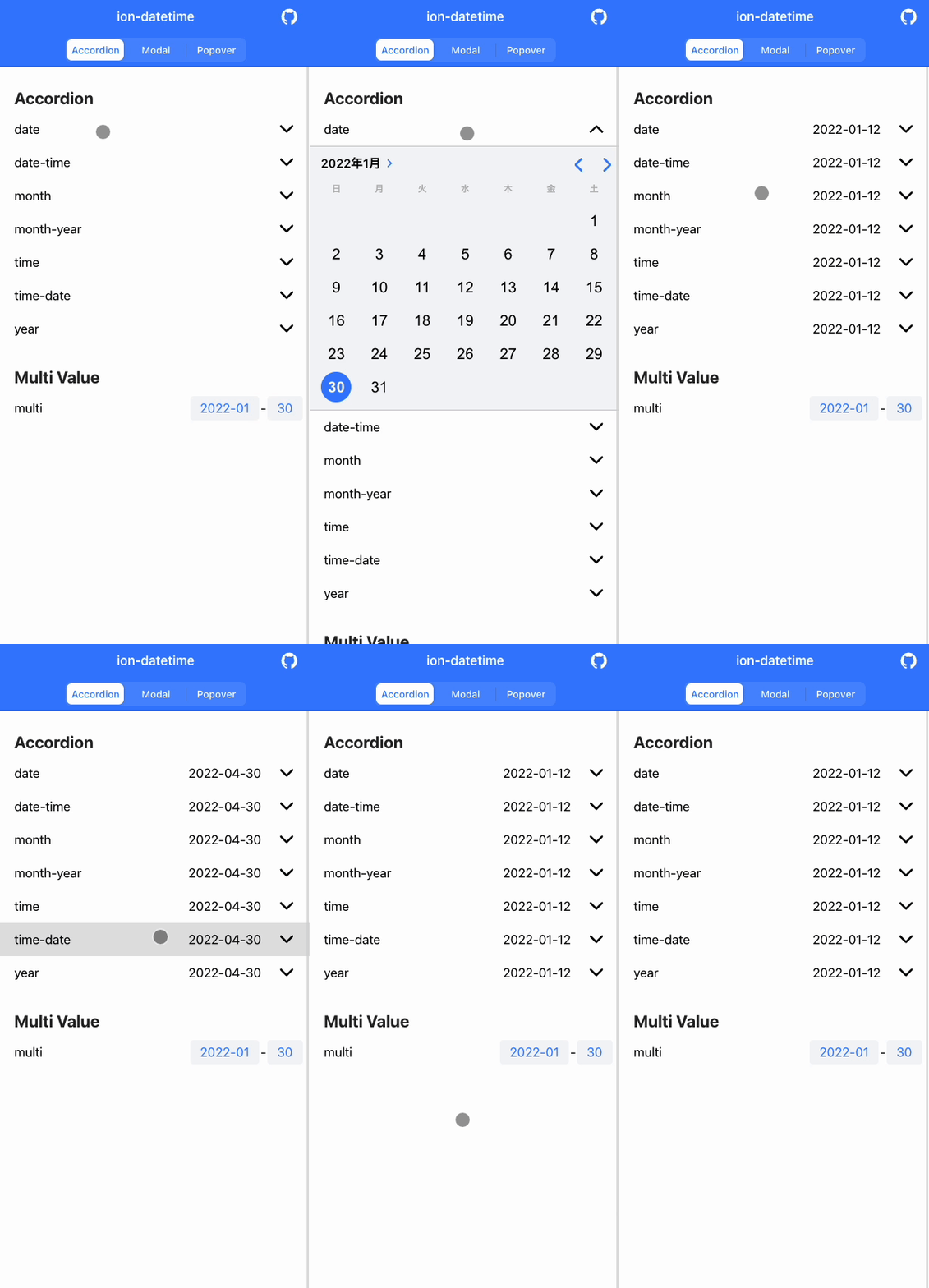
ion-datetime currently has seven presentation styles:
presentation: "date" | "date-time" | "month" | "month-year" | "time" | "time-date" | "year"
Among these, "month", "month-year", "time", and "year" use the wheel style, while "date", "date-time", and "time-date" use the picker style. All of them can be embedded inline, so I placed them inside ion-accordion. Compared with modal and popover patterns below, this is not an overlay, so you can "refer to other parts of the screen while selecting in ion-datetime." You can switch tabs and read other information while picking a date, for example.
Inline datetime embedding like this is used on Twitter and elsewhere.
https://twitter.com/rdlabo/status/1480771495958032385
Implementation:
https://github.com/rdlabo/ionic6-datetime-picker/blob/main/src/app/home/home.page.html#L24-L38
Accordion - multi
This is my favorite: splitting "month-year" and "date" into separate steps like this. Accordion open/close is controlled by button clicks.
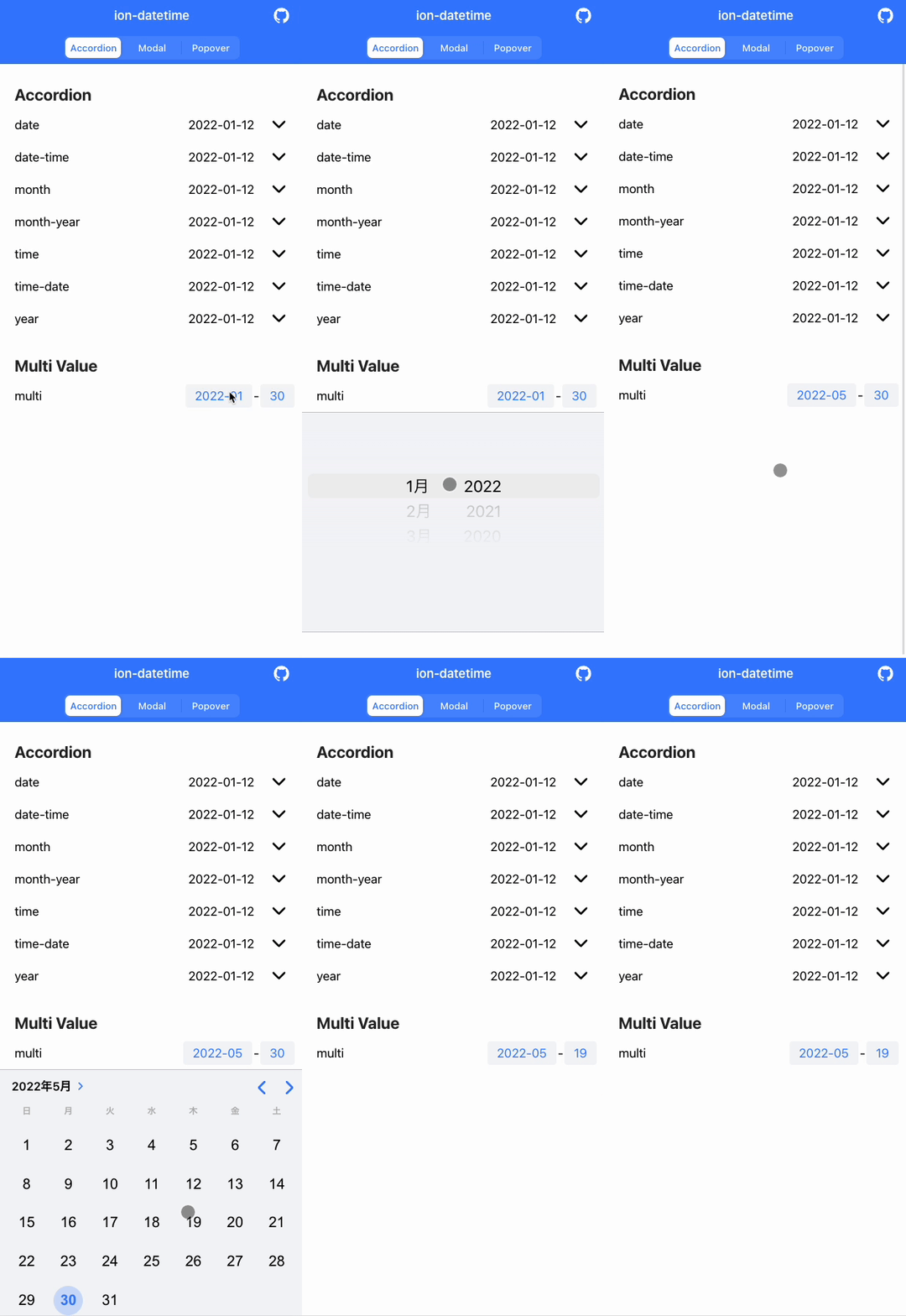
Ideally date alone would be enough, but with the picker, choosing last month or next month is easy while choosing a birth date requires this flow:
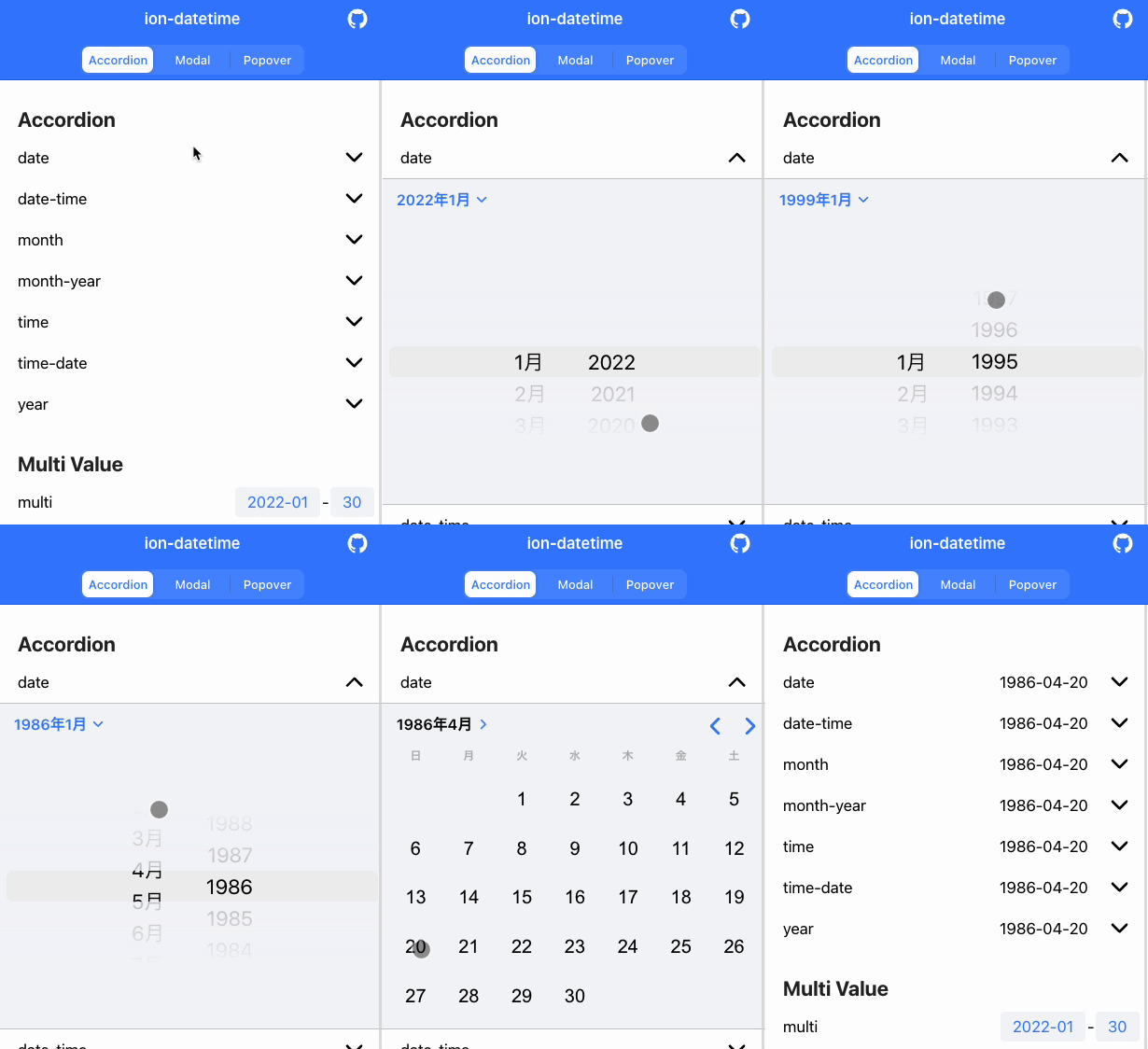
- First select the year and month in the upper left (hard at this step)
- Specify the year and month
- Select the year and month in the upper left again to return to date selection (also hard)
- Select the date
That is not very practical. So I split "month-year" and "date" into a sequential flow. This example uses those two, but you could also consider:
- Splitting into
year-month-date - Splitting into
date-time
This idea came from the following issue:
https://github.com/ionic-team/ionic-framework/issues/24477
Implementation:
https://github.com/rdlabo/ionic6-datetime-picker/blob/main/src/app/home/home.page.html#L45-L64
Modal
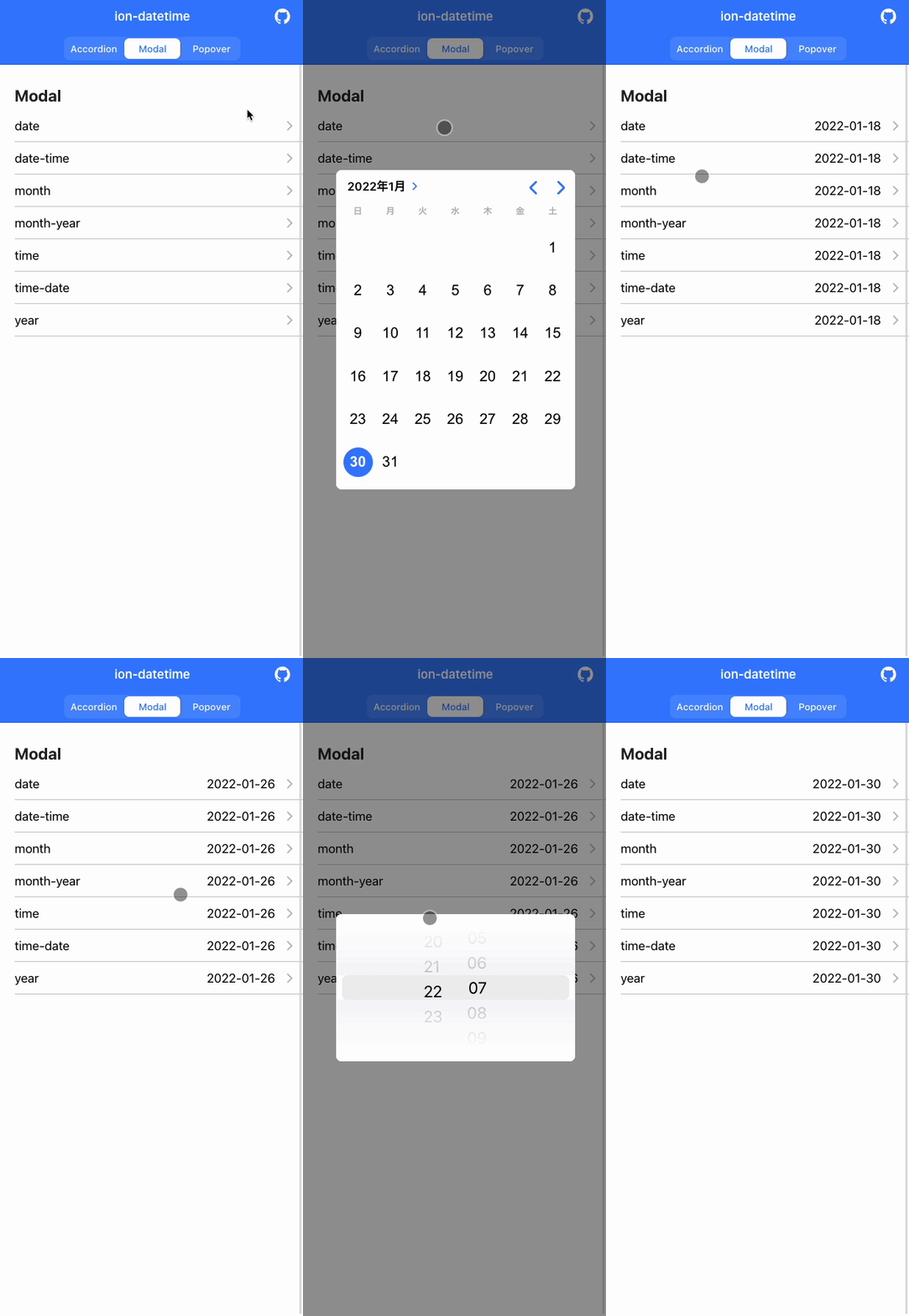
This opens a modal inline. It is the straightforward approach also shown in ionic-team/datetime-migration-samples.
Implementation:
https://github.com/rdlabo/ionic6-datetime-picker/blob/main/src/app/home/home.page.html#L72-L85
Popover
This opens a popover inline. Ionic documentation shows this pattern as an example.

https://ionicframework.jp/docs/api/datetime
You can show a calendar overlay anchored to the item the user clicked.
Implementation:
https://github.com/rdlabo/ionic6-datetime-picker/blob/main/src/app/home/home.page.html#L92-L105
About the Wheel
Right now you can only use the picker to choose a date, but there is movement to bring the wheel back.
https://github.com/ionic-team/ionic-framework/issues/23981
The Ionic 5 wheel had performance problems, so it was not ported directly and the picker was prioritized. Ionic has said it wants to expand wheel-based selection next. As discussed in "Bad UI: Android birth-date input forms you should not use", picking a specific date decades ago with only a picker is awkward UI, so I want to keep exploring better patterns.
See you next time.