
Instagram, Facebook, and X all offer photo editing, so photo editing in mobile and web apps is commonplace now.
In the browser, rolling your own means image-processing knowledge—and a tough fight with Canvas. Popular, well-built libraries exist; TUI Image Editor is the standout, but its default desktop and mobile UI is hard to match to your app's look.
◯ Desktop UI https://nhn.github.io/tui.image-editor/latest/examples/example01-includeUi.html
◯ Mobile UI https://nhn.github.io/tui.image-editor/latest/examples/example03-mobile.html
So I released a simple Ionic Angular photo-editing library built on the TUI Image Editor API.
Demo
https://rdlabo-ionic-angular-library.netlify.app/main/photo-editor
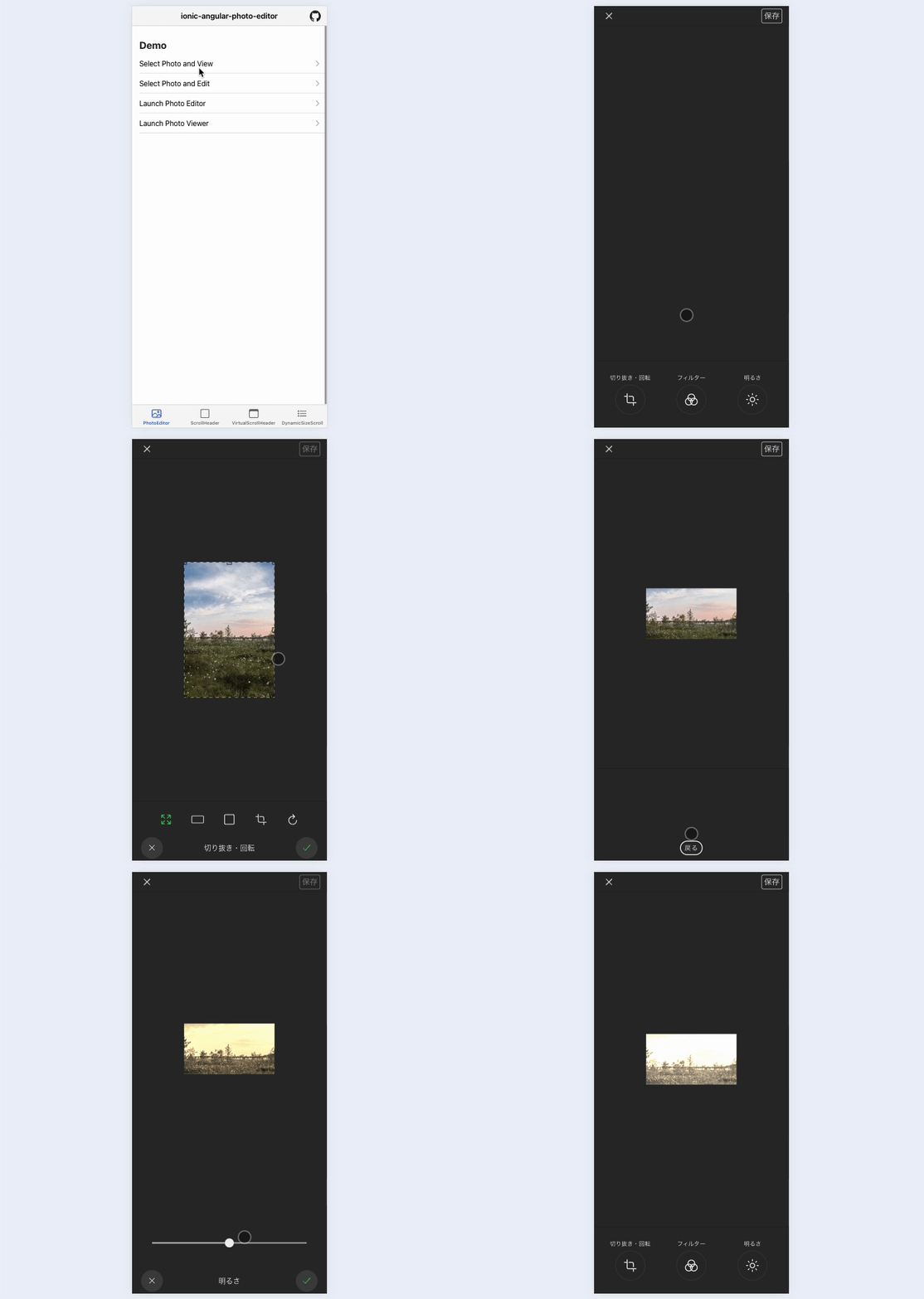
There is a viewer too; tap "Launch Photo Editor" first. It pulls free stock images, so startup is a bit slow, but you get crop and rotate, filters, and brightness as shown below.
Usage
Install in your Ionic Angular project first.
% npm install @rdlabo/ionic-angular-photo-editor
Then add this to your global styles.
:root {
  --ion-photo-editor-background: #2a2a2a;
  --ion-photo-editor-background-tint: #414141;

  --ion-photo-editor-color: #f0f0f0;
  --ion-photo-editor-color-tint: #dbdbdb;

  --ion-photo-editor-primary: #4d8dff;
  --ion-photo-editor-danger: #f24c58;
  --ion-photo-editor-success: #2dd55b;
}
Styles use CSS variables, so you can theme them. Usage is simple: when opening an Ionic modal, pass photo data (URL or Base64) via ComponentProps.
import { PhotoEditorPage, IPhotoEditorDismiss } from '@rdlabo/ionic-angular-photo-editor';

(async () => {
  const modal = await this.modalCtrl.create({
    component: PhotoEditorPage,
    componentProps: {
      requireSquare: false,
      value: 'https://picsum.photos/200/300',
      label: {
        save: 'Submit', // change 'Save' to 'Submit'
      },
    },
  });
  await modal.present();
  const { data } = await modal.onWillDismiss<IPhotoEditorDismiss>();
  if (data?.value) {
    console.log(data.value);
  }
})();
Set requireSquere to true to require a square crop. label lets you change button labels. See https://github.com/rdlabo-dev/ionic-angular-library/tree/main/projects/photo-editor for details.
Summary
I use this library in apps I ship and it has been stable. It is not a fully polished OSS product, so features are limited—but if you want to add photo editing quickly or read reference source, I hope it helps.
See you next time.