

When Ionic shipped Collapsible Large Titles, only iOS used that design at first. Material Design later added official support, but Ionic still does not support Material You, so Material Design Large Titles are not available today.
These issues are useful references:
https://github.com/ionic-team/ionic-framework/issues/25157
https://github.com/ionic-team/ionic-framework/issues/24282
Two years ago I published "I Want Collapsible Large Titles on Android Too!" and showed how to implement Collapsible Large Titles with Material Design.
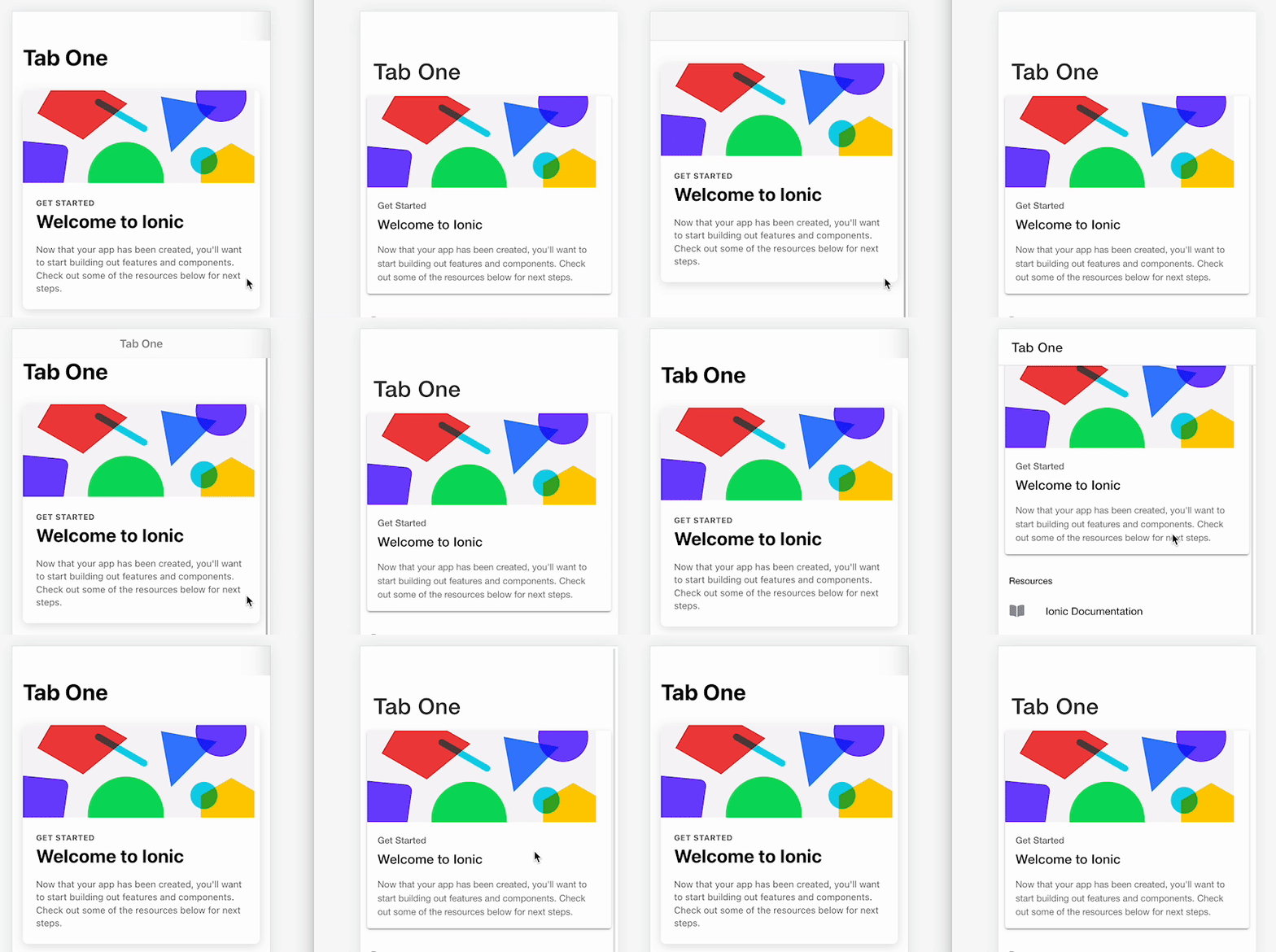
That approach was a bit forced. In practice, Collapsible Large Titles aim to:
- Show a large title at first
- Shrink to a small title on scroll (saving viewport space)
Scroll-hiding headers can fulfill the same role. So I released a library that makes scroll-hiding headers easy to add in Ionic Angular. Instagram, X, and Facebook all use scroll-hiding headers—a UI pattern users already know well.
Demo
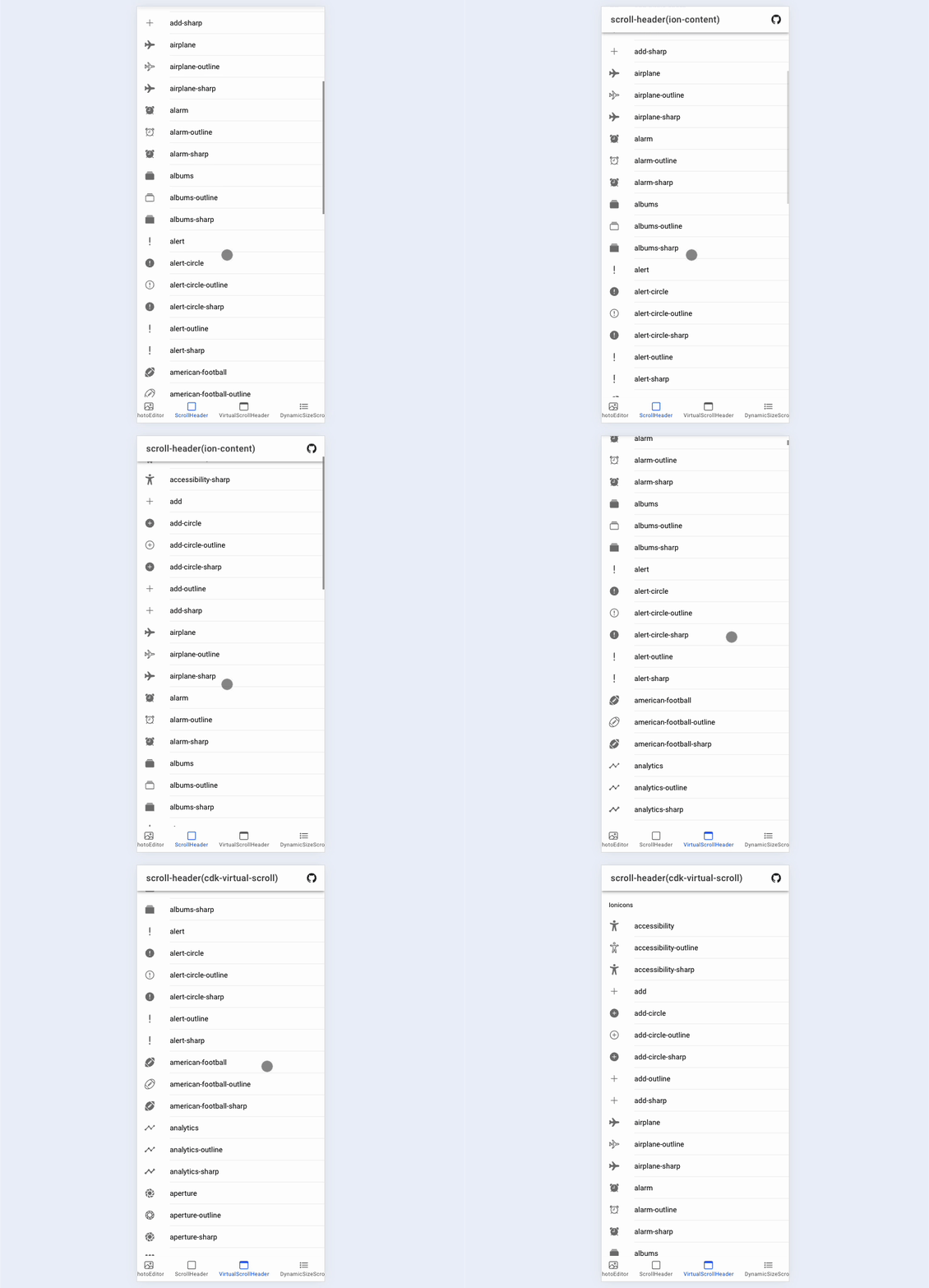
With Ionic, you often scroll inside ion-content, but with many items you typically adopt virtual scroll. The library supports both; try the demos.
Scrolling with ion-content
https://rdlabo-ionic-angular-library.netlify.app/main/scroll-header
Scrolling with @angular/cdk virtual scroll
https://rdlabo-ionic-angular-library.netlify.app/main/virtual-scroll-header
Usage
% npm install @rdlabo/ionic-angular-scroll-header
After install, remember to add the CSS.
You need to import the CSS.
+ @import '@rdlabo/ionic-angular-scroll-header/css/scroll-header.directive.css';

+ /* If you use cdk virtual scroll */
+ cdk-virtual-scroll-viewport {
+   width: 100%;
+   height: 100%;
+   .cdk-virtual-scroll-content-wrapper {
+     padding-top: inherit;
+   }
+ }
Scrolling with ion-content
Import the directive and configure it—that is enough. Here I use ion-header class="hidden" for iOS safe area; if you handle that differently (for example with ion-content padding-top), you can omit it.
import { ScrollHeaderDirective } from '@rdlabo/ionic-angular-scroll-header';
@Component({
  ...
  imports: [
    ScrollHeaderDirective
  ],
})
<ion-header class="hidden"><ion-toolbar></ion-toolbar></ion-header> <!-- set hidden header for safe-area -->
<ion-content rdlaboScrollHeader>
  <ion-header>
    <ion-toolbar>...</ion-toolbar> <!-- Default Header for display -->
  </ion-header>
  ...Your Content
</ion-content>
Scrolling with @angular/cdk virtual scroll
With @angular/cdk virtual scroll, import a different directive; usage is the same.
import { VirtualScrollHeaderDirective } from '@rdlabo/ionic-angular-scroll-header';

@Component({
  ...
  imports: [
    VirtualScrollHeaderDirective
  ],
})
<ion-header class="hidden"><ion-toolbar></ion-toolbar></ion-header> <!-- set hidden header for safe-area -->
<ion-content rdlaboVirtualScrollHeader>
  <ion-header>
    <ion-toolbar>...</ion-toolbar> <!-- Default Header for display -->
  </ion-header>
  <cdk-virtual-scroll-viewport minBufferPx="900" maxBufferPx="1350" [itemSize]="44" class="ion-content-scroll-host">
    ...Your Content
  </cdk-virtual-scroll-viewport>
</ion-content>
Summary
More details: https://github.com/rdlabo-dev/ionic-angular-library/tree/main/projects/scroll-header#readme. Ionic defaults push you toward Collapsible Large Titles, but when you think about what the UI needs to do, scroll-hiding headers are often a better fit—or at least enough. Give them a try.
See you next time.