

Fix
Set interactive-widget on <meta name=viewport>.
<meta name="viewport" content="width=device-width, initial-scale=1.0, interactive-widget=overlays-content">
This matches iOS keyboard behavior, so if your app already works on iOS, you do not need this change. You need it if you branch by platform or designed Android-first.
Overview
Starting with Chrome 108, released in November 2022, Android Chrome changes how the layout viewport behaves when the on-screen keyboard appears.
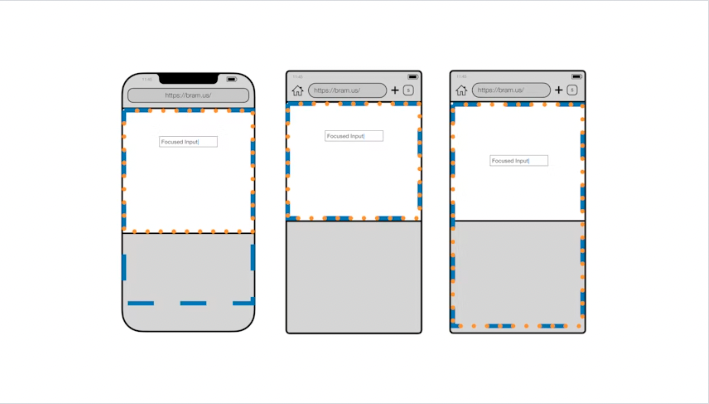
Units that depend on the viewport such as vw and vh, and DOM positioned with position: fixed; bottom: 0, will behave differently.
See the article below for details on what changes.
https://developer.chrome.com/blog/viewport-resize-behavior/
This is important enough that I wrote this post to spread the word, but everything you need is in that article (in English). It is written clearly enough to read through Google Translate if needed—please read the original rather than relying on secondary explanations.